How to: Configure SAM Broadcaster for use with NetroMedia.
Configuring SAM Broadcaster is a very simple process, simply open SAM Broadcaster and we can get started.
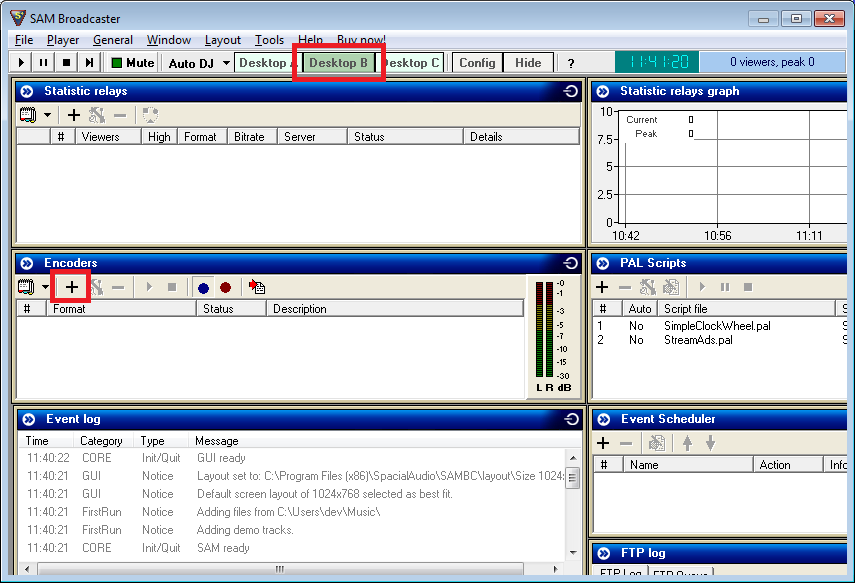
Step 1 - Select Desktop B from your menu.
Step 2 - Under the "Encoders" tab select the "+" symbol.
Step 3 - Select WMA (v9 advanced [ROBUST])

Step 4 - Select your desired bitrate, 32k is considered to be FM quality.
Step 5 - Select "Stream Options" from your menu.
Step 6 - Select "Use PUSH distribution" and enter the information located on your live Windows Media Service, note that Server Name is called Media server host / IP in SAM.

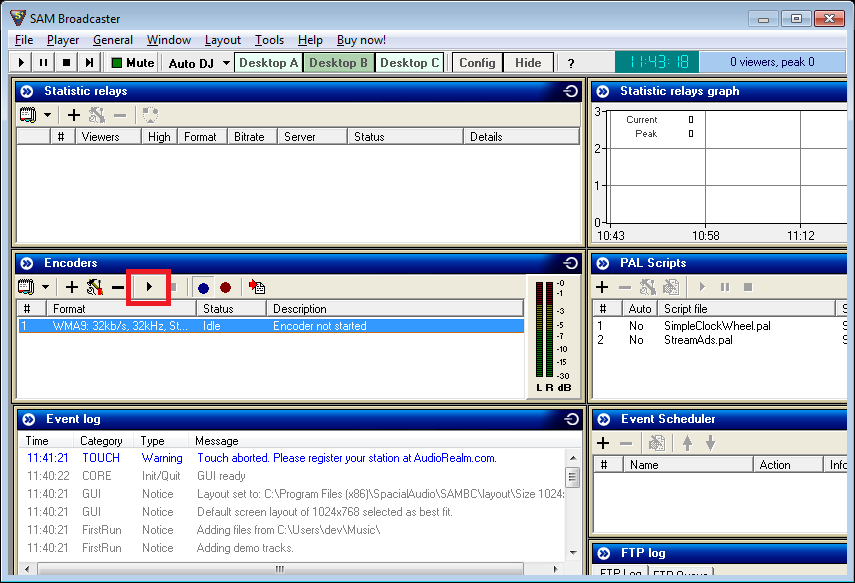
Step 7 - Under the "Encoders" tab select the Play button to start encoding. Please note that music must be playing in order to broadcast.