At NetroMedia we suggest that you ask your IT staff to whitelist our domain; netromedia.com so that you are guaranteed to recieve all e-mail correspondance from us.
FAQ - How to Whitelist NetroMedia.com in Outlook
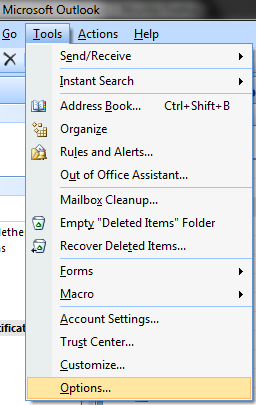
Open Outlook and select Tools > Options from the menu.
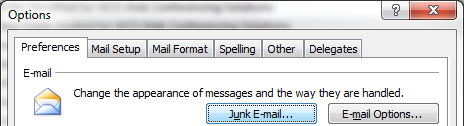
Click the "Junk Email" button as shown below;
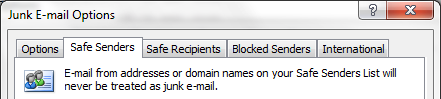
Select the "Safe Senders" tab as shown below;
Click the "Add" button as shown below;
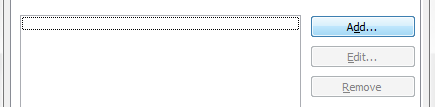
Enter netromedia.com in to the field as shown below;
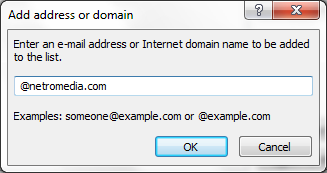
Click Ok on each area until you are back at your Outlook main view, netromedia.com is now part of your safe senders list!