Configuring an AVN420 with NetroMedia
If your AVN did not come pre-configured for use with our service it is very simple to configure for use with NetroMedia.
- Speak to a NetroMedia sales representative and obtain your streaming details and links.
- Log into the AVN administrator page, contact your network administrator for assistance in locating the IP of the AVN device; you can usually find this using your local networks DHCP client table.
- Select the "Stream" tab on the left, it should look like this:
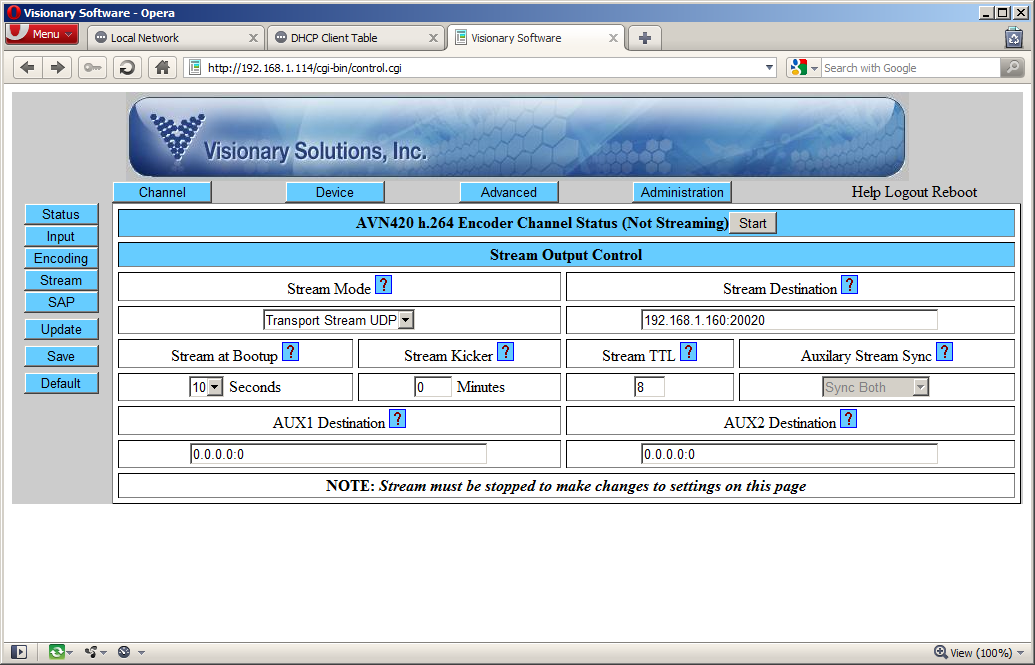
- Make sure your "Stream mode" is set to "Transport Stream UDP"
- Set your stream destination to the information provided to you by the NetroMedia representative.
- Stream at Bootup can be configured to auto-start your stream when connected; setting autostart means you do not have to log into your AVN each time you need to start your stream.
There are several other settings that can be configured; images and a short description can be found below:
Setting video inputs
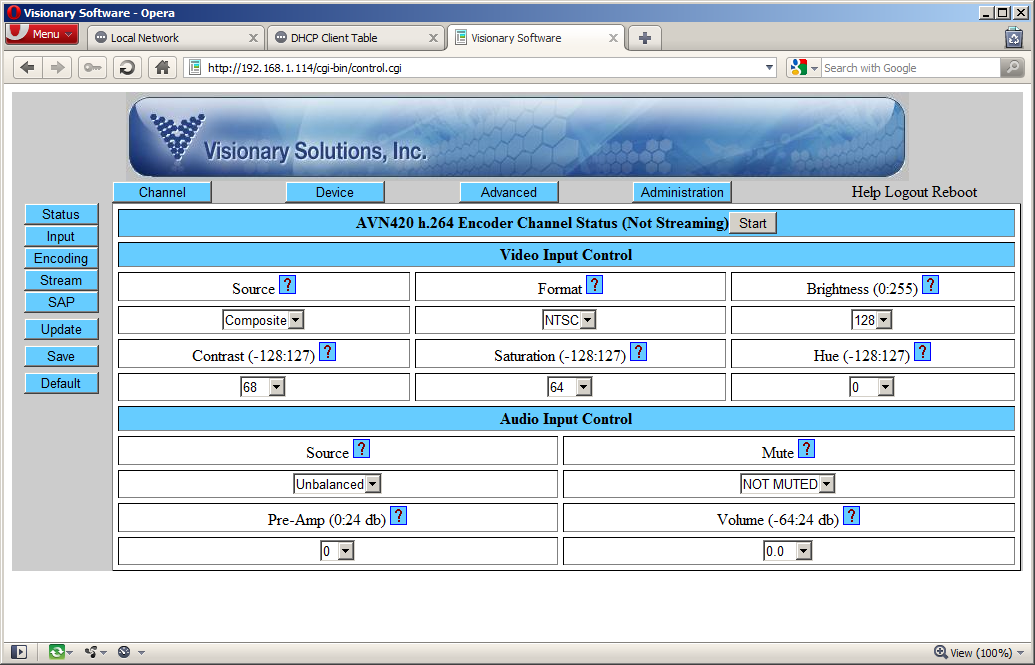
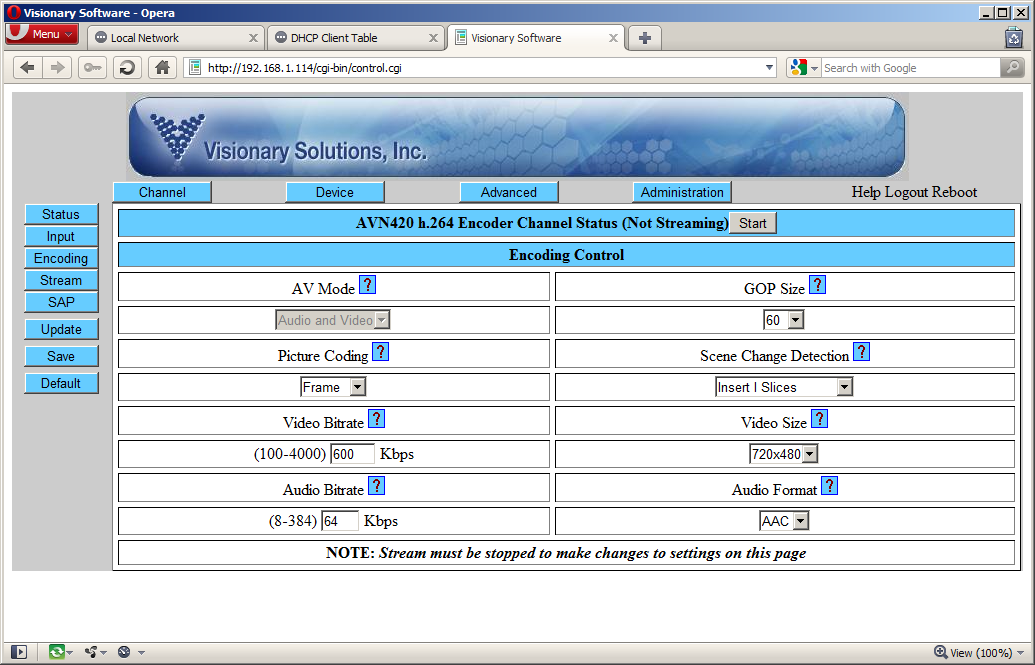
Set bitrates and resolutions using the "Encoding" tab.
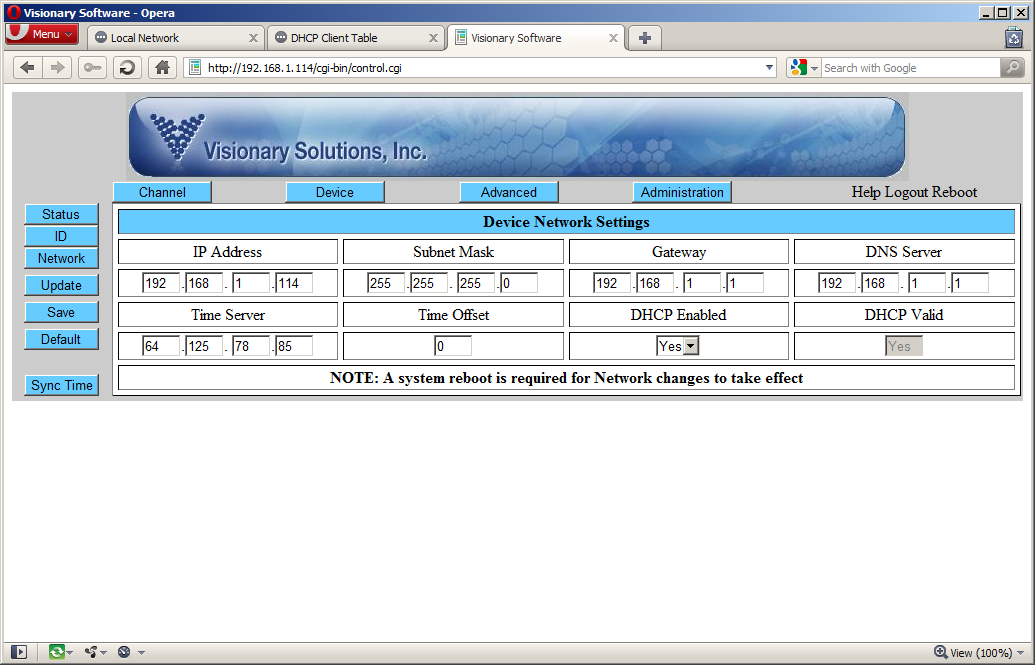
Set a static IP address by selecting "Device" and "Network"
Basic troubleshooting:
If you start your stream but are unable to view using the links and embed code provided to you by your NetroMedia representative check the following:
- You have input connected; the device will not start streaming without a valid video/audio input
- Your source / format is set correctly to PAL/NTSC - See above under "video inputs"